Power BI dashboards for schools and trusts
Reports for governors and trustees, ready when you need them
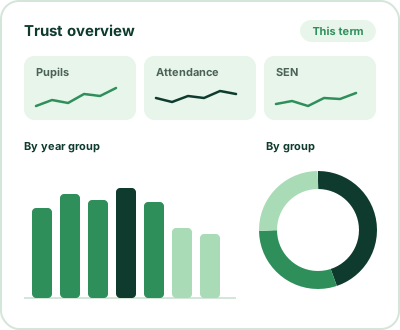
Most schools already hold the data leaders need. The problem is getting it out. Someone exports a spreadsheet, copies figures into a template, checks them, and does it all again next week or next term. A Power BI dashboard pulls the figures straight from your MIS, so they’re up to date and ready whenever someone asks.
I work inside school MIS systems every week, so I know where the data sits, how it’s recorded, and which figures leaders, governors and trustees actually ask for.
Who it’s for
- Trust leaders who need one view of every school in the trust
- Headteachers and senior leaders preparing reports for governors
- Data and business managers who spend too long pulling figures together
- Schools that want to see attendance, behaviour or SEN patterns early, not at the end of term
Dashboards I build
Pupil demographics
Numbers by school, phase and year group, with filters for gender, free school meals, SEN area of need and more.
Attendance
Overall attendance, weekly attendance, persistent and severe absence, and session marks.
Behaviour, exclusions and suspensions
Patterns over time, by year group and by group of pupils.
SEN, EAL and disadvantage
SEN provision, EAL and ethnicity, pupil premium and free school meals.
Assessment
Dashboards built around your assessment data.
Staff
Absence, training and cover.
Connecting to your MIS
Bromcom. I connect through Bromcom’s OData feed.
Arbor. I connect through Arbor’s Snowflake connector, which Arbor sells to schools and trusts, or through live data feeds set up from within Arbor.
SIMS. I build scheduled reports in SIMS. Your IT team then sets them to save automatically into a folder that the dashboard reads from.
How a dashboard project works
A 30-minute call
We talk about which questions you want the data to answer and who will use the dashboard.
An agreed scope and quote
I send a quote that sets out exactly what the dashboard will include, and what it won’t. It’s a fixed project fee, so you know the cost before anything starts.
A kick-off call
Once you’ve agreed the quote, we have a short call to check we’re still aligned on everything.
Building the dashboard
I build it inside your school’s own Microsoft account and deliver it within the agreed timescale or by your deadline.
Handover and training
I train the people taking over the dashboard. Your team then looks after the technical side and decides where to host it.
Support, if you want it
You can choose a support package, with the level agreed with you. It can include a monthly health check, fixes to the dashboard I’ve built, small changes, data rollover at the start of the year, and a termly check of the calculations.
“Mark was recommended to help us build a one-stop dashboard for analysing behaviour. We have also developed an efficient way of reporting to school governors. Mark listened carefully to our requirements and also showed patience and flexibility when we needed to make changes. His knowledge of schools really helped with the process. We are very pleased with the final product.”Clive, Headteacher
Common questions
Which MIS can you connect to?
Bromcom, Arbor and SIMS. Each connects in a different way, set out above.
Do we need Power BI licences?
To share dashboards with staff, you’ll need Power BI Pro licences. If only one or two people need it, such as the CEO, a Power BI file can be enough on its own.
Is our pupil data safe?
I work inside your school’s own Microsoft account, so the data stays within your school’s system. You give me an account on your network for the project. Because Power BI dashboards are linked to a user, that account stays active after the project so the dashboard keeps working.
How long does a dashboard take?
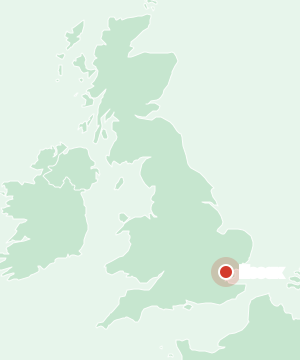
That depends on the scope. The timescale or deadline is agreed in the quote before work starts. The Essex trust dashboard took five days.
Can you add to the dashboard later?
Yes. Small changes can be covered by a support package, and new dashboards are quoted separately.
How much does it cost?
It’s a fixed fee for the agreed scope, set out in the quote, so there are no surprises.
Start here
Let’s talk about your timetable
A 30-minute call, no charge. Tell me where you are and I’ll tell you honestly whether I can help.